If you have any experience with Shopify B2B, then you know most Shopify apps either don't integrate with Shopify B2B, or they partially do, but the integration is a workaround patch on an app not originally built to work with Shopify B2B. Shopify DTC retail stores and Shopify B2B stores require different tools and features because B2B e-commerce customers have completely different needs.
All of that is to say that if you own a Shopify B2B store, then you've likely struggled to solve difficult (but obvious) problems such as data migrations, discounts, and onboarding among others.
This resource aims to equip Shopify B2B store owners with apps that natively integrate with Shopify B2B and are specifically built for Shopify B2B ecommerce needs.
Have suggestions for the next update? Email us here with the subject line "Shopify B2B Apps Guide Feedback."
Last updated: July 23, 2026
Store Locator Maps for Shopify B2B
The Problem: Manually building and maintaining a store locator map of all your retailers is labor-intensive, error-prone, and falls out of date quickly, especially if you sell through a variety of channels in addition to Shopify B2B, such as Faire.
What These Apps Do: Store locator apps let you display physical retail locations, dealers, and distributors that carry your products on an interactive map. Customers can search by location or zip code, see nearby stores, get directions, and find hours. Basic versions require manual CSV uploads; advanced versions automate retailer syncing.
Common Mistakes to Avoid: The most expensive mistake is manually maintaining your retailer list in a CSV and uploading it to your store locator every time something changes. A brand with 200+ retailers might spend 4-6 hours per month just keeping their map accurate. Manually maintaining your map is prone to errors, leading customers to see outdated or inaccurate information that hurts your customer experience.
H1 Dynamic Store Locator
Download the app: https://apps.shopify.com/dynamic-store-locator
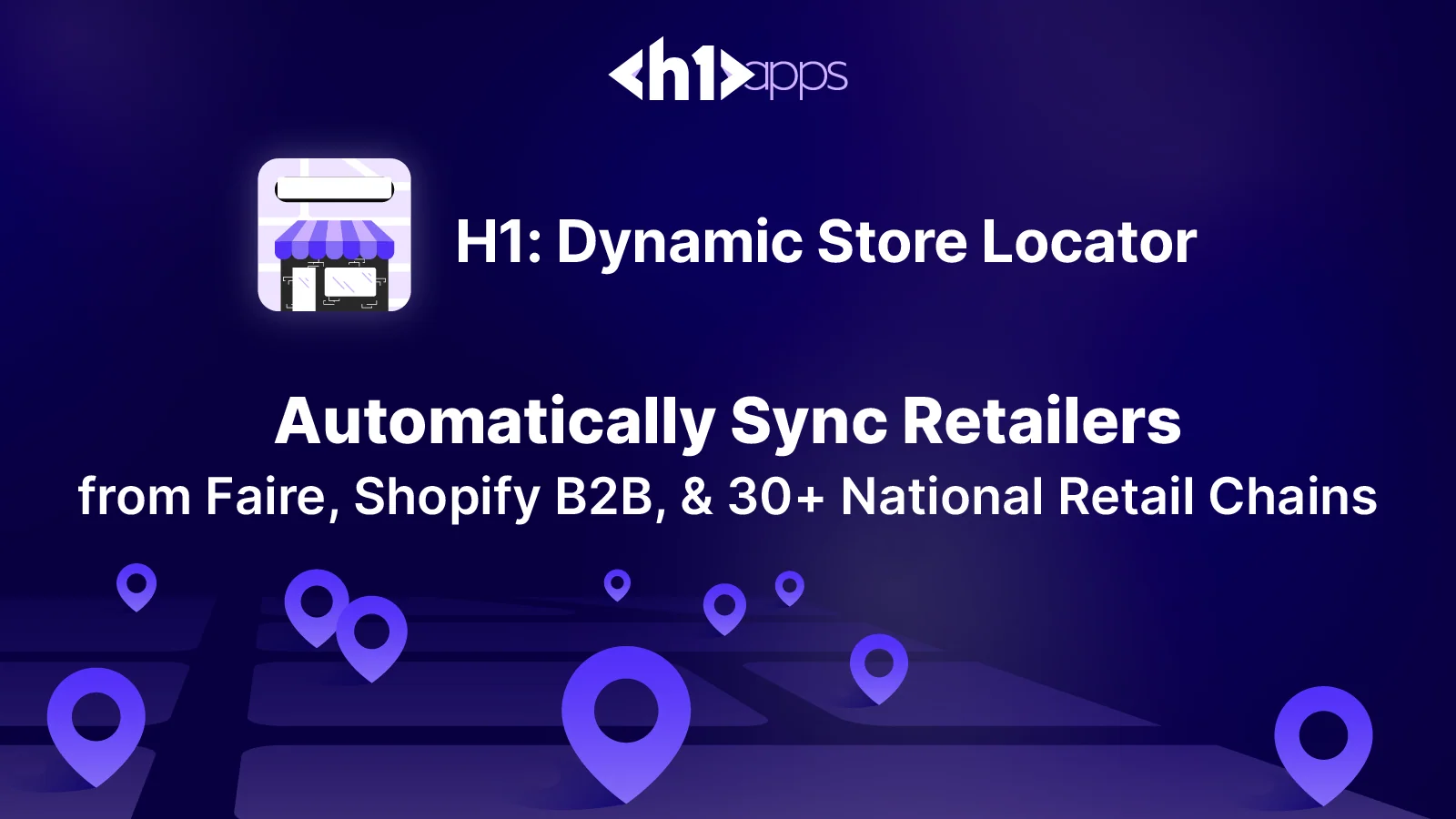
If you are selling through wholesale channels like Faire or using Shopify B2B, or your products are carried in major retailer locations, the H1 Dynamic Store Locator solves a problem no other store locator on the market addresses: automatic retailer syncing.
Auto-Sync from Faire & Shopify B2B: You do not manually update your retailer list. The app pulls in new retailers automatically as they place orders through Faire or your Shopify B2B channel. Retailers who have not purchased in 6+ months are hidden automatically. This eliminates hours of manual data entry and keeps your map current without any effort.
Google Business Integration: The app also checks against Google Business to pull in social handles, hours, URL & more, making your map even more valuable to potential customers as well as your retailers.
30+ Major Retail Chains Pre-Loaded: Want to show that your products are available at Walmart, Target, Whole Foods, and 30+ other major national chains? The H1 app includes a database of these retailers. You can display them nationally or limit visibility to specific states. No manual data entry required. See the current list of National Retailers here.
The H1 Dynamic Store Locator removes the administrative burden of maintaining your retail location list and map, so you can focus on more important things.
Pricing & Discount Management Apps for Shopify B2B
The Problem: One of the biggest operational headaches in B2B ecommerce is pricing. You likely have tiered pricing based on order volume, different pricing for different customer groups, and pricing that changes seasonally.
What Shopify Offers: Before layering on a pricing app, it is worth understanding what Shopify B2B does natively. The Shopify B2B Catalog feature allows you to create different product assortments and pricing tiers for different customer groups, so you can show retailers one set of prices and distributors another. You can also use Shopify's native customer groups and quantity-based pricing rules to handle volume breaks and tiered discounts.
While Shopify's native tools work best for straightforward pricing structures, once you need dynamic rules, seasonal pricing adjustments, approval workflows, or integration with external pricing systems, a dedicated pricing app becomes essential.
What These Apps Do: Pricing apps automate the application of custom discounts, volume breaks, and customer-group-specific pricing beyond what Shopify is natively capable of. They let you set rules once and enforce them consistently across your entire catalog.
B2B Volume Pricing Table
Download the app: https://apps.shopify.com/volume_pricing
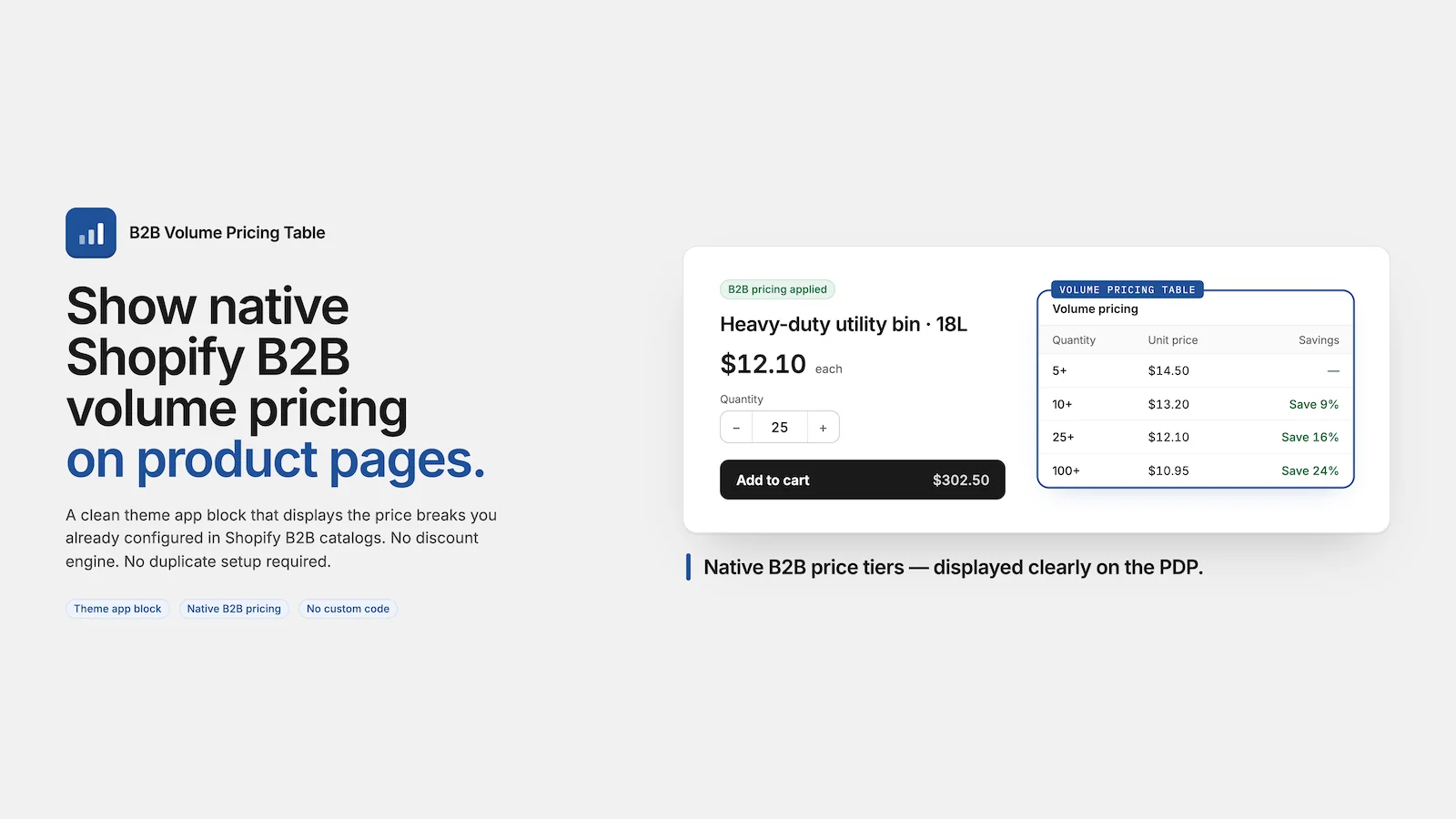
B2B Volume Pricing Table reads your existing Shopify B2B catalog and displays quantity-based price breaks directly on product pages; no duplicate setup or custom code required. The app adds a simple theme block that shows B2B buyers exactly what per-unit prices they'll receive at higher order volumes, increasing transparency and encouraging larger orders. The pricing table updates dynamically as customers select different variants, and automatically hides for D2C shoppers and logged-out visitors.
- Display native B2B quantity pricing tiers on product detail pages
- Reads existing Shopify B2B catalog data
- Drag-and-drop installation with the theme app block
- Variant-aware settings where the pricing updates when customers change color, size, or other variants
- Auto-hides for D2C buyers; displays only to eligible B2B customers
- Customizable layout, headings, and savings language
Data Migration Tools for Shopify B2B
The Problem: Moving data into Shopify or managing bulk product updates is tedious. Whether you are migrating data from another Shopify store or from another platform, syncing products across multiple sales channels, or making bulk changes to thousands of SKUs, manual data entry is not an option. Furthermore, you cannot natively import Companies into Shopify, which can be a huge burden for Shopify B2B store owners. You need a tool that can import, export, and update data in bulk without errors.
What These Apps Do: Data migration and import apps let you bulk upload product data, customer information, and inventory across your Shopify stores. They support CSV imports, automated syncing, and batch updates, saving countless hours of manual work.
Matrixify
Download the app: https://apps.shopify.com/excel-export-import
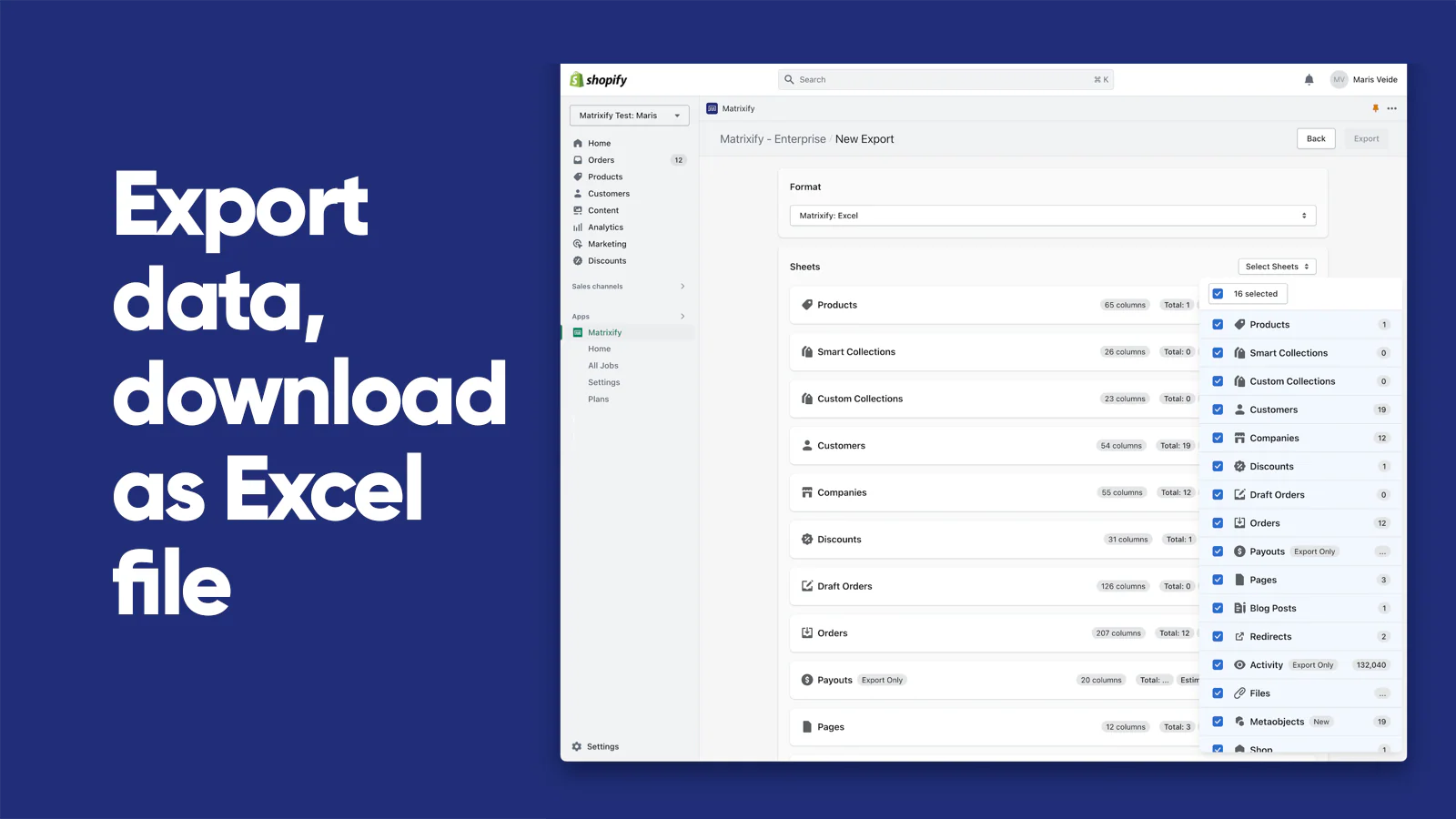
Matrixify handles bulk import, export, update, and migration of store data through Excel, CSV, Google Sheets, and FTP/SFTP integrations. Whether you're migrating from another platform, managing bulk product updates across thousands of SKUs, or keeping your inventory in sync across multiple sales channels, Matrixify lets you work with files up to 20GB in size without errors. The app works with Shopify B2B natively, enabling you to import and manage company and location-level data that standard Shopify tools can't handle.
- Import and export using Excel, CSV, Google Sheets, Google Drive, or FTP/SFTP
- Support for B2B Companies, locations, and company-specific data
- Bulk operations on Products, Variants, Orders, Customers, Discounts, Collections, Metafields, Payouts, Pages, Blog Posts, Redirects, Navigation Menus, Translations, and more
- Migrate from WooCommerce, WordPress, Magento, BigCommerce, Lightspeed, and other platforms
- Schedule recurring imports and exports with automatic job monitoring
- Backup store data and restore or copy data between stores
- Handle large datasets up to 20GB with batch processing
- Search, filter, and control which data to update before each import
Ordering & Quick Order Apps for Shopify B2B
The Problem: B2B buyers that know exactly what they want to purchase or repurchase should not have to peruse your website to do so. They want a quick ordering experience where they have products selected, enter a quantity, and add it to their cart in seconds. Standard Shopify storefronts are not optimized for this workflow.
What These Apps Do: These apps create streamlined order entry experiences (quick order forms, CSV uploads, SKU-based searching, and bulk add-to-cart functionality). They remove friction from the buying process for high-volume purchases.
Extend B2B Quick Order
Download the app: https://apps.shopify.com/quick-order-b2b-and-wholesale
Extend B2B Quick Order enables B2B buyers to place bulk orders quickly through searchable product tables, CSV uploads, and variant grids instead of browsing individual product pages. It integrates directly with Shopify B2B Catalogs and customer pricing, so each buyer sees only their assigned products and pricing.
- Searchable, filterable product tables with custom columns and metafields
- CSV bulk upload for fast order entry
- Variant tables on product detail pages for quick quantity selection
- Full Shopify B2B Catalog sync and pricing integration
- Customizable styling to match your brand
InstaOrders B2B/CSV Order Form
Download the app: https://apps.shopify.com/instaorders
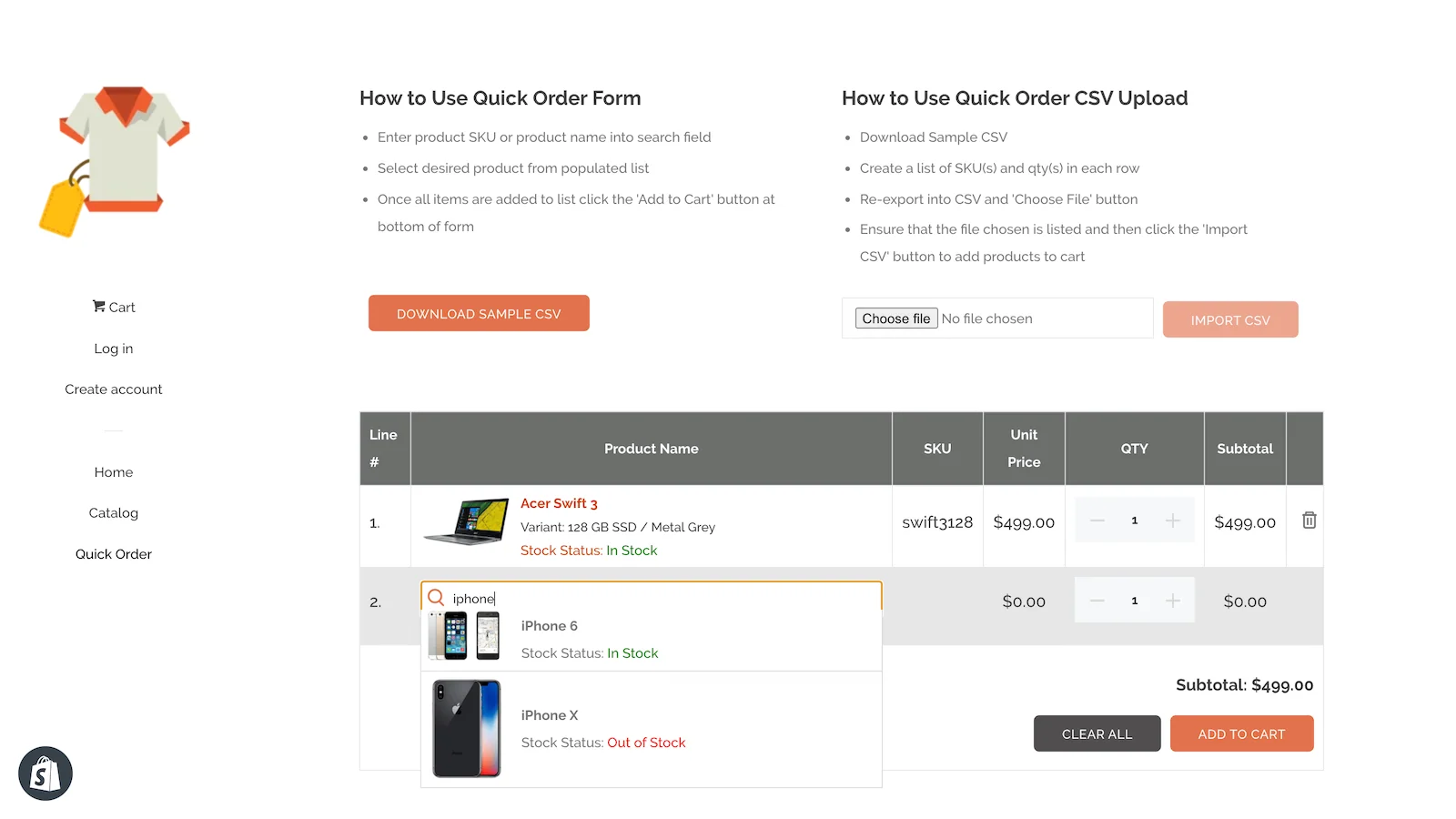
InstaOrders B2B/CSV Order Form is a lightweight quick order form that lets B2B customers add multiple products from a single page or upload a CSV file to place bulk orders instantly. It supports Shopify B2B pricing and works with any theme out of the box.
- CSV upload for bulk ordering
- Quick search and product discovery on one page
- Shopify B2B pricing and quantity rules support
- Fully customizable and mobile-friendly
- Works with any theme without modifications
Upro B2B & Wholesale
Download the app: https://apps.shopify.com/upro-credit-limit-b2b-and-wholesale
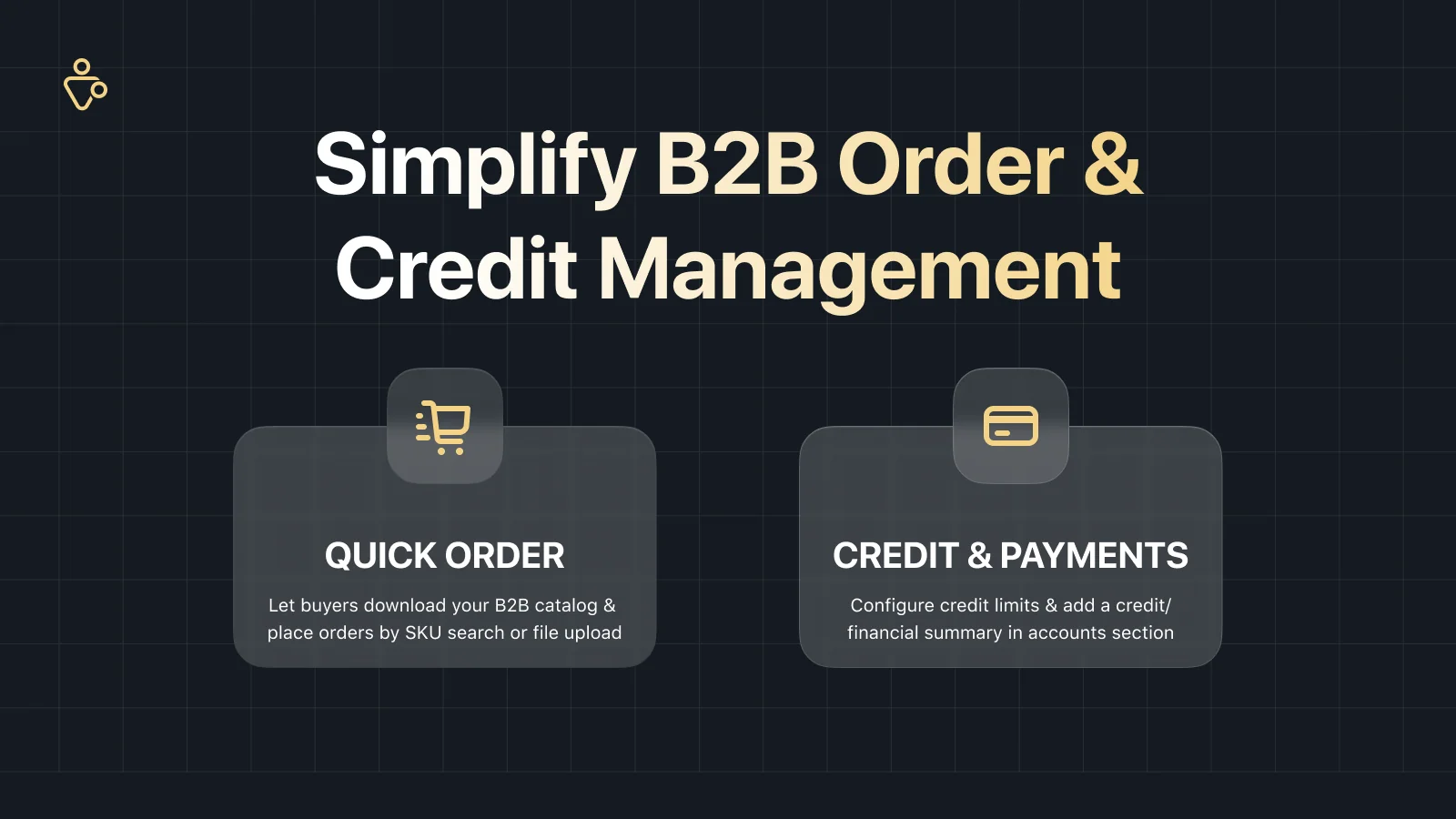
Upro B2B & Wholesale combines quick ordering with credit management. Buyers can download their B2B catalog and place orders via CSV/XLSX upload or SKU search, while you set per-customer credit limits and provide them with a financial ledger in their account.
- B2B catalog download and CSV/XLSX file upload
- SKU or barcode search for fast ordering
- Configure credit limits by company, customer, or location
- Financial ledger showing order and payment history
- Integrates with ERP systems and Shopify Flow
Send to Many
Download the app: https://apps.shopify.com/send2many-order-upload
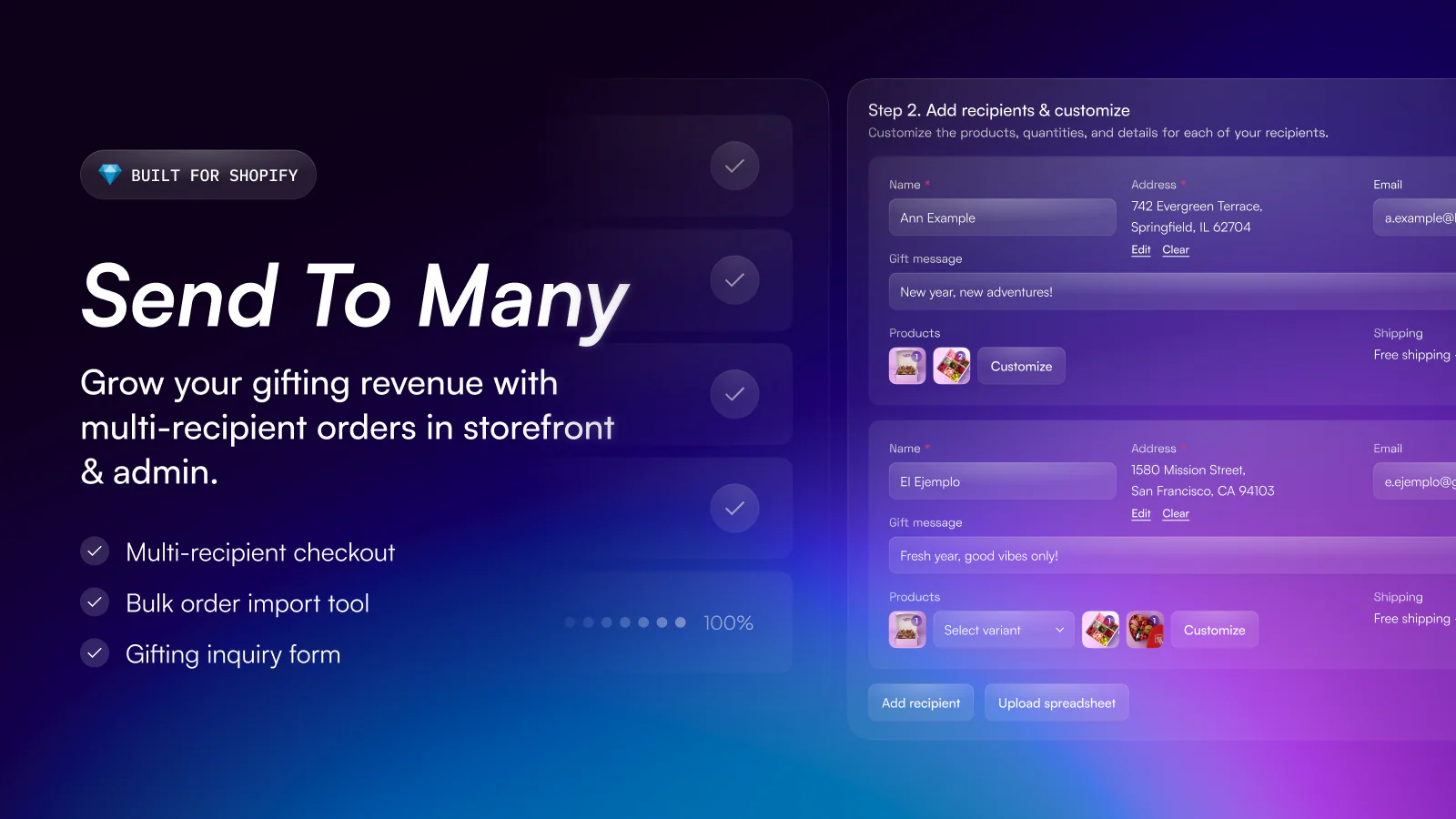
Send to Many is specialized for multi-recipient orders (corporate gifting, bulk gifting). Buyers can add different products, gift messages, and shipping addresses for each recipient in a single checkout, or you can bulk import orders via spreadsheet.
- Multi-recipient checkout on storefront with full customization
- Bulk order import from spreadsheet in admin (10s to 1000s of orders)
- Create a summary invoice for payment collection
- Capture gifting inquiries with a custom form
- Works with Shopify B2B, fulfillment apps, and local delivery integrations
Accounts, Onboarding, and Permissions Apps for Shopify B2B
The Problem: Managing wholesale accounts is complex. You need to approve new customers, assign them the right catalogs and pricing, manage their team members and permissions, set credit limits, and handle location-based access. Shopify B2B handles some of this natively, but many merchants need more control, better approval workflows, or more flexible permission structures.
What Shopify Offers: Shopify B2B natively supports company accounts, customer roles, and location management. You can assign different catalogs and pricing to different customer groups, and team members can have different permission levels. Furthermore, you can use Shopify Flow to set up application notifications, approval alerts, and other automations to streamline the onboarding process. However, if you need custom approval workflows, more granular permission controls, or tools to help customers manage their own onboarding, you will need a dedicated app.
What These Apps Do: These apps extend Shopify B2B's account management capabilities. They handle company registration, approval workflows, custom permission structures, and help customers self-serve when managing their company profiles and team members.
Duos B2B Self-service
Download the app: https://apps.shopify.com/qikify-b2b-solution
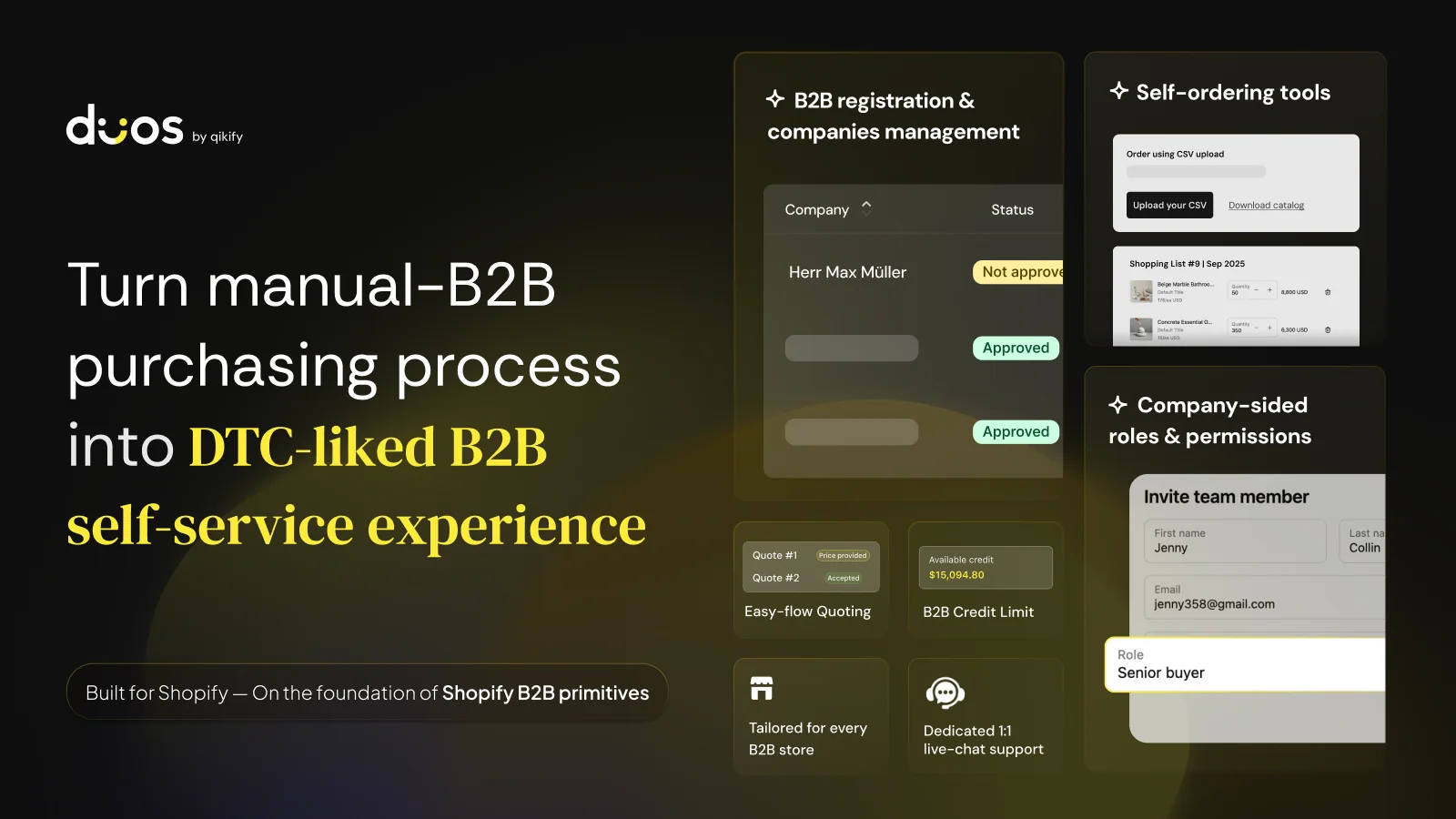
Duos B2B Self-service is a comprehensive self-service B2B platform that lets buyers register companies, manage their teams with custom roles, request quotes, and place bulk orders; all without merchant back-and-forth. Built natively on Shopify B2B and Customer Accounts, Duos provides registration with approval workflows, quote negotiation, quick ordering by CSV or SKU, reusable shopping lists for reorders, and financial management with credit limits and ledger tracking. The app supports ERP integration via Shopify Flow triggers.
- B2B company registration with custom signup forms and approval workflows
- Team and role management where buyers control their own team permissions
- Quote requests with price negotiation built into the storefront
- Quick bulk ordering via CSV upload, SKU input, or shopping lists
- B2B finance management with credit limits, payments, invoices, and ledger
Roleify B2B Role Manager
Download the app: https://apps.shopify.com/roleify-b2b-role-manager
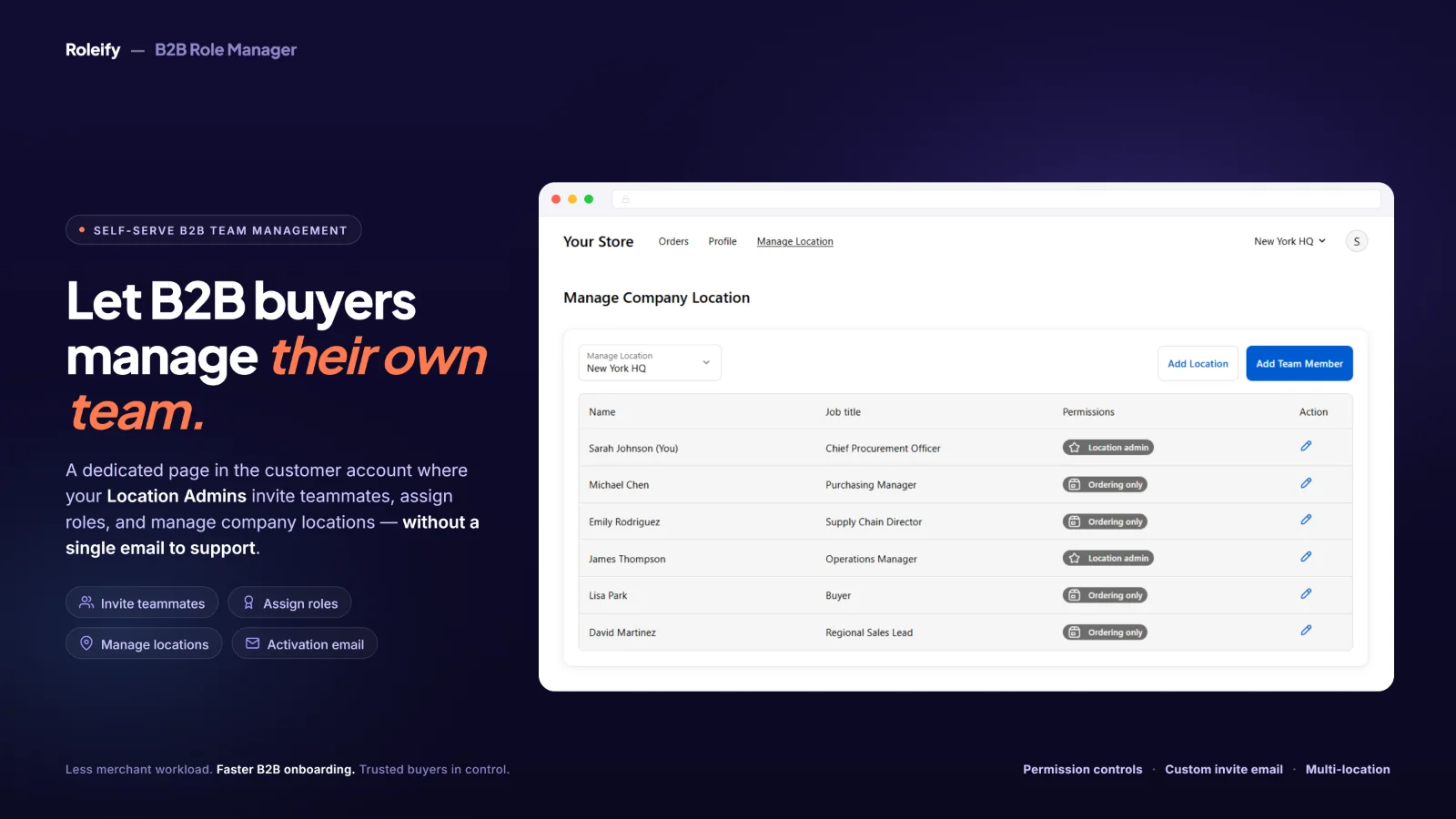
Roleify B2B Role Manager enables Shopify B2B customers to self-manage their team members and assign roles directly from Shopify's native Customer Accounts. Merchants define what permissions are allowed, and then location admins can add, edit, or remove contacts without needing merchant support or Shopify Admin access.
- Buyers manage contacts and assign roles per company location
- Merchants control which actions location admins are allowed to perform
- Fully integrated with Shopify B2B Customer Accounts
Onboard B2B: Company Profiles
Download the app: https://apps.shopify.com/onboard-b2b
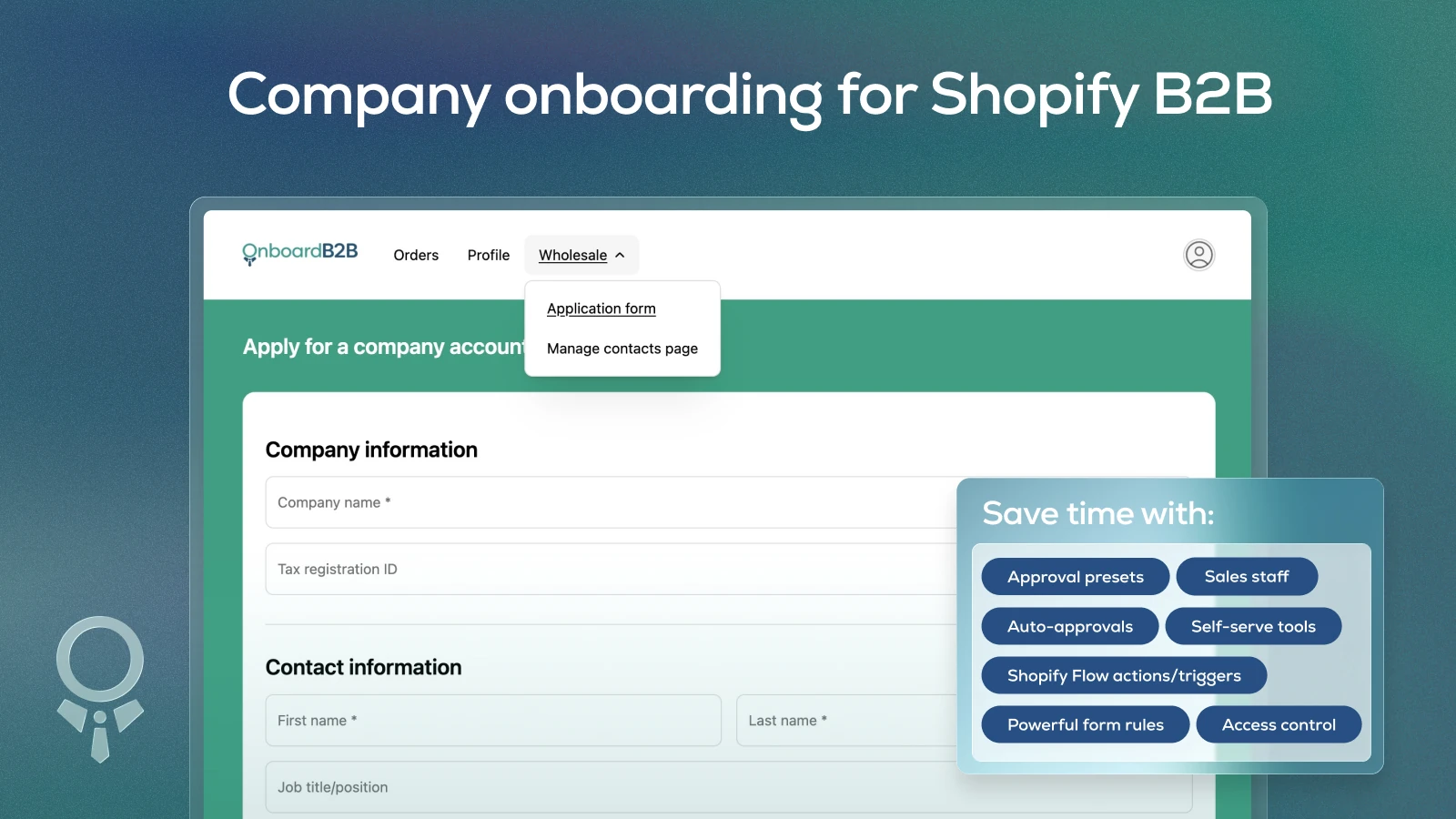
Onboard B2B: Company Profiles streamlines B2B onboarding with custom application forms, approval workflows, and self-service management. Companies are created directly in Shopify B2B with data synced to metafields. Merchants can set approval presets to automatically assign catalogs using conditional logic, and company location admins can manage their own team members and shipping locations. The app also includes storefront and checkout locks to prevent unauthorized access.
- Custom B2B application forms that save data to Shopify B2B metafields
- Company approval workflows with revision requests and conditional catalog assignment
- Unlimited CSV bulk import for companies, contacts, and locations
- Self-service portal for company contacts to manage locations and team members
- Storefront lock and checkout lock to control access to unauthorized buyers
B2B User/Location Admin Portal
Download the app: https://apps.shopify.com/b2b-portal
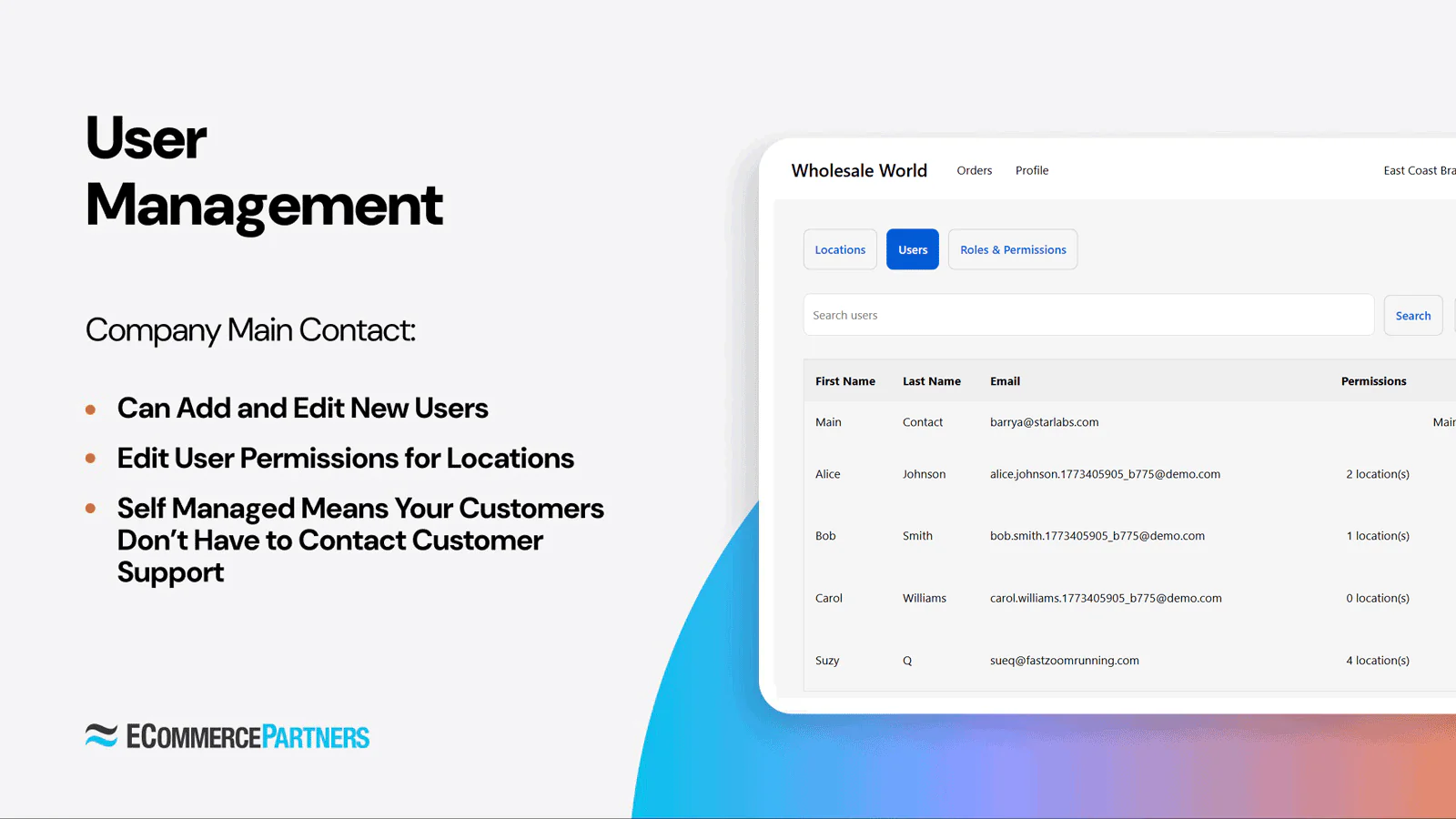
B2B User/Location Admin Portal is a self-service portal for B2B customers to manage users, locations, and custom role-based permissions directly in Shopify's Customer Accounts. Company admins can add users, create locations, and define granular permissions across six functional areas. It integrates automatically with Shopify B2B.
- Requires Shopify Plus with B2B and New Customer Accounts
- Company admins add/edit users and manage shipping locations
- Custom roles with granular permissions across six functional areas
- Assign roles per location or globally across all locations
- Automatic sync with Shopify B2B
CB B2B Partner Onboard
Download the app: https://apps.shopify.com/codebeans-onboard-b2b
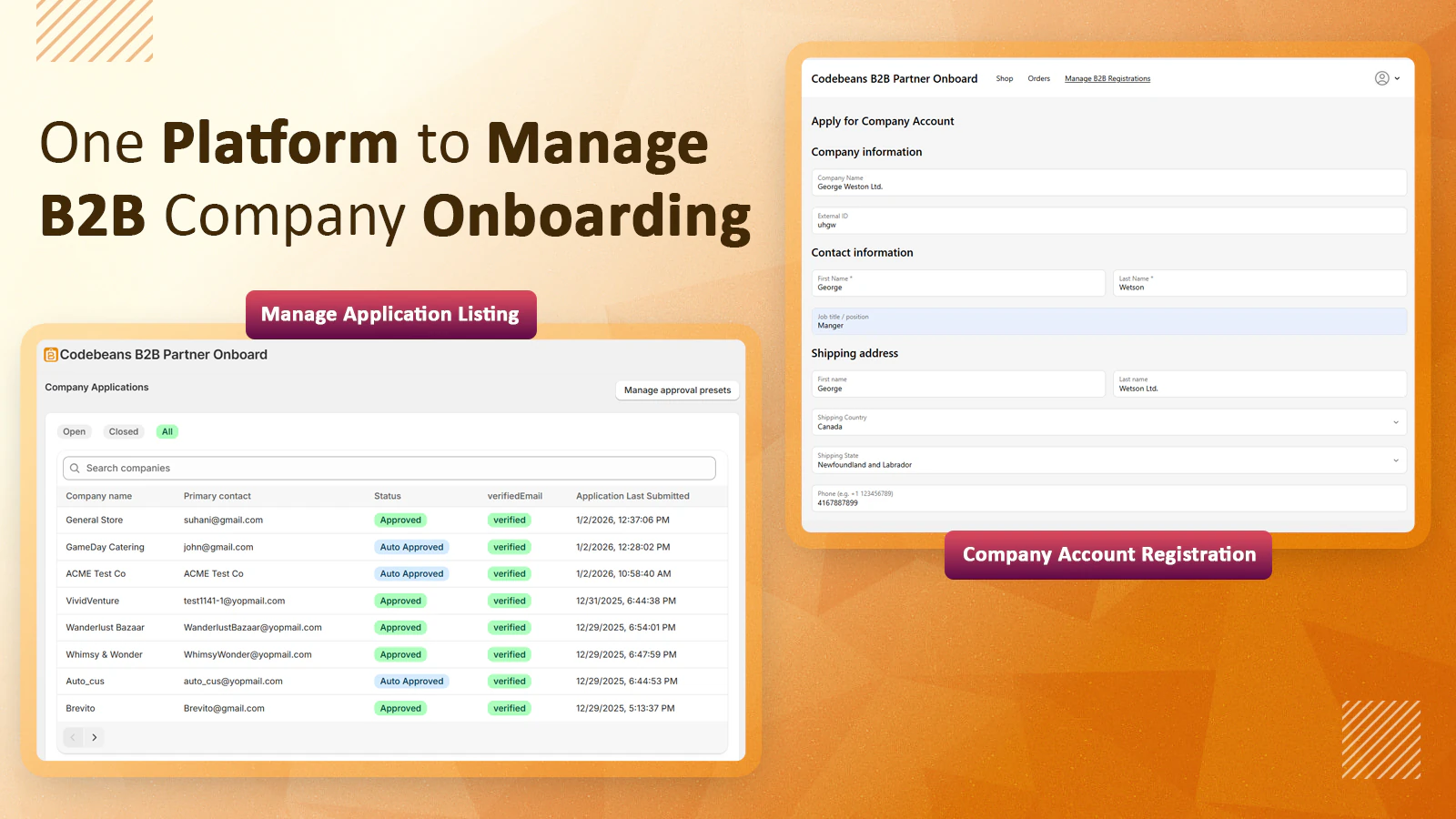
CB B2B Partner Onboard simplifies B2B onboarding with custom registration forms, approval workflows, and self-service company management. Merchants can create custom applications to collect business information, save data to Shopify B2B metafields, set conditional logic for auto-approvals and catalog assignment, and allow buyers to manage their own team members and roles. It also supports CSV bulk import for companies, contacts, and locations.
- Custom B2B/wholesale registration forms for data collection
- Manual or automatic (with conditional logic) company approvals
- Save form responses to Shopify B2B metafields
- Unlimited CSV import of companies, contacts, and locations
- Allow company contacts to invite team members and assign roles
Sales Rep Portal Apps for Shopify B2B
The Problem: Sales representatives need to manage orders on behalf of customers. They should be able to view customer catalogs, place orders, and manage customer accounts without having full admin access to your Shopify store. While Shopify offers Draft orders, it lacks the features many sales teams want.
What These Apps Do: These apps let sales reps and staff members place B2B orders on behalf of customers, manage customer accounts, and view order history, all from a dedicated portal. If you have a sales team that manages B2B customer accounts and regularly places orders on their behalf, a sales rep portal will streamline operations and reduce errors.
B2B Order Agent
Download the app: https://apps.shopify.com/b2b-customer-impersonation
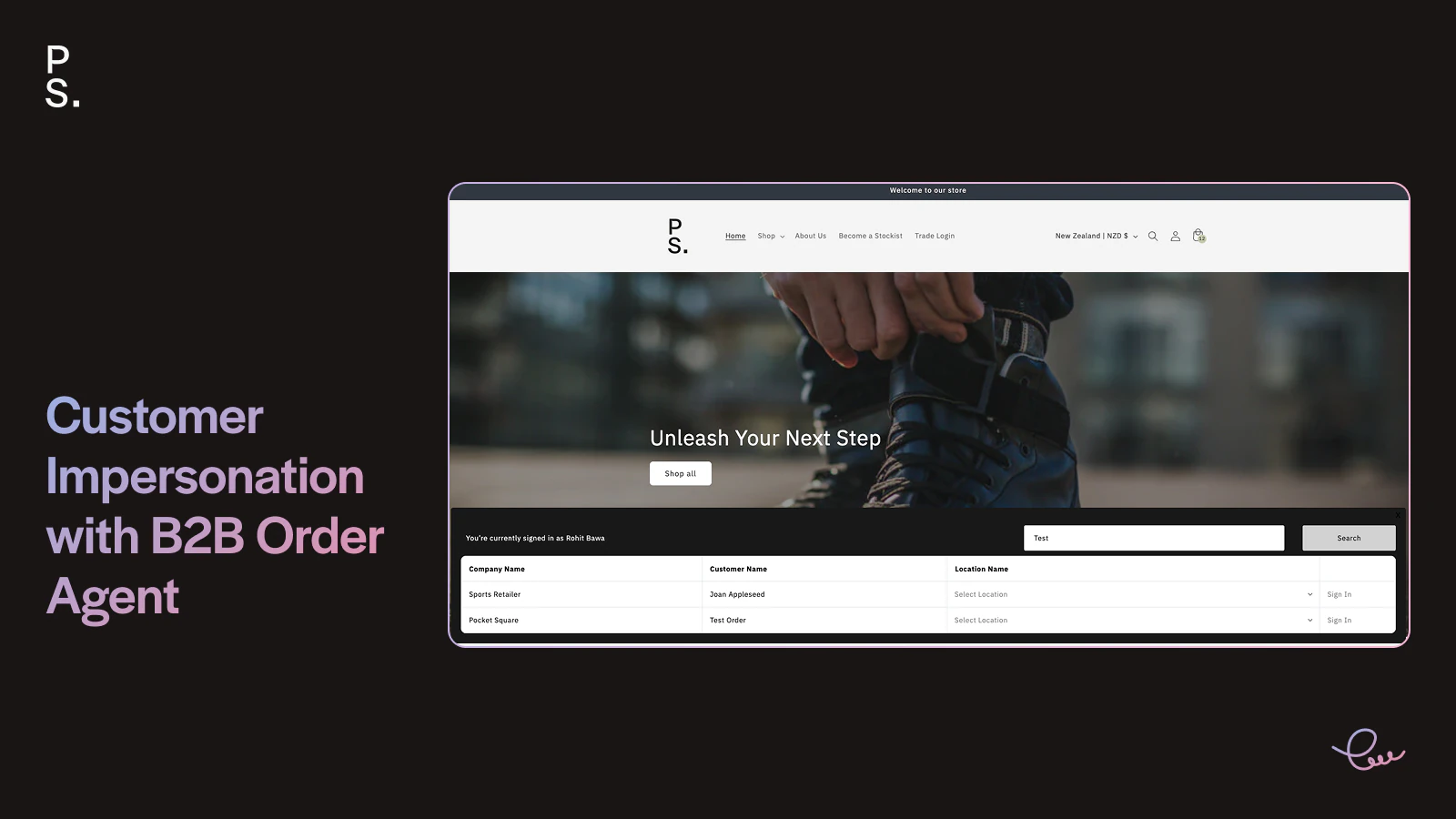
B2B Order Agent allows sales reps and staff to impersonate B2B customers on your storefront and place orders on their behalf without requiring them to have backend admin access. When impersonating a customer, sales reps see the exact same catalog visibility, pricing, volume discounts, and order increments that the customer would see. Orders can be placed as draft for review and approval, or submitted directly. It works natively with Shopify B2B Companies and supports multiple company locations.
- Impersonate B2B customers on the front-end to place orders on their behalf
- See customer-specific catalog visibility, pricing, and volume discounts during impersonation
- Control which customers each sales rep or staff member can access
- Place orders as drafts for review or submit them directly
- Support for multiple company locations within a customer account
- No backend admin access required for sales reps; only front-end ordering capability
Quote Request & Custom Pricing Apps for Shopify B2B
The Problem: Not all B2B transactions fit a standard catalog and pricing model. Sometimes customers need to request a quote for custom orders, bulk quantities at special pricing, or products not in your standard catalog. You need a way to handle quote requests without breaking your ordering workflow.
What These Apps Do: These apps let customers request quotes for custom orders. The app manages the quote workflow (customer submits request, you create a quote, customer approves, order is placed).
SA Request a Quote, Hide Price
Download the app: https://apps.shopify.com/request-for-quote
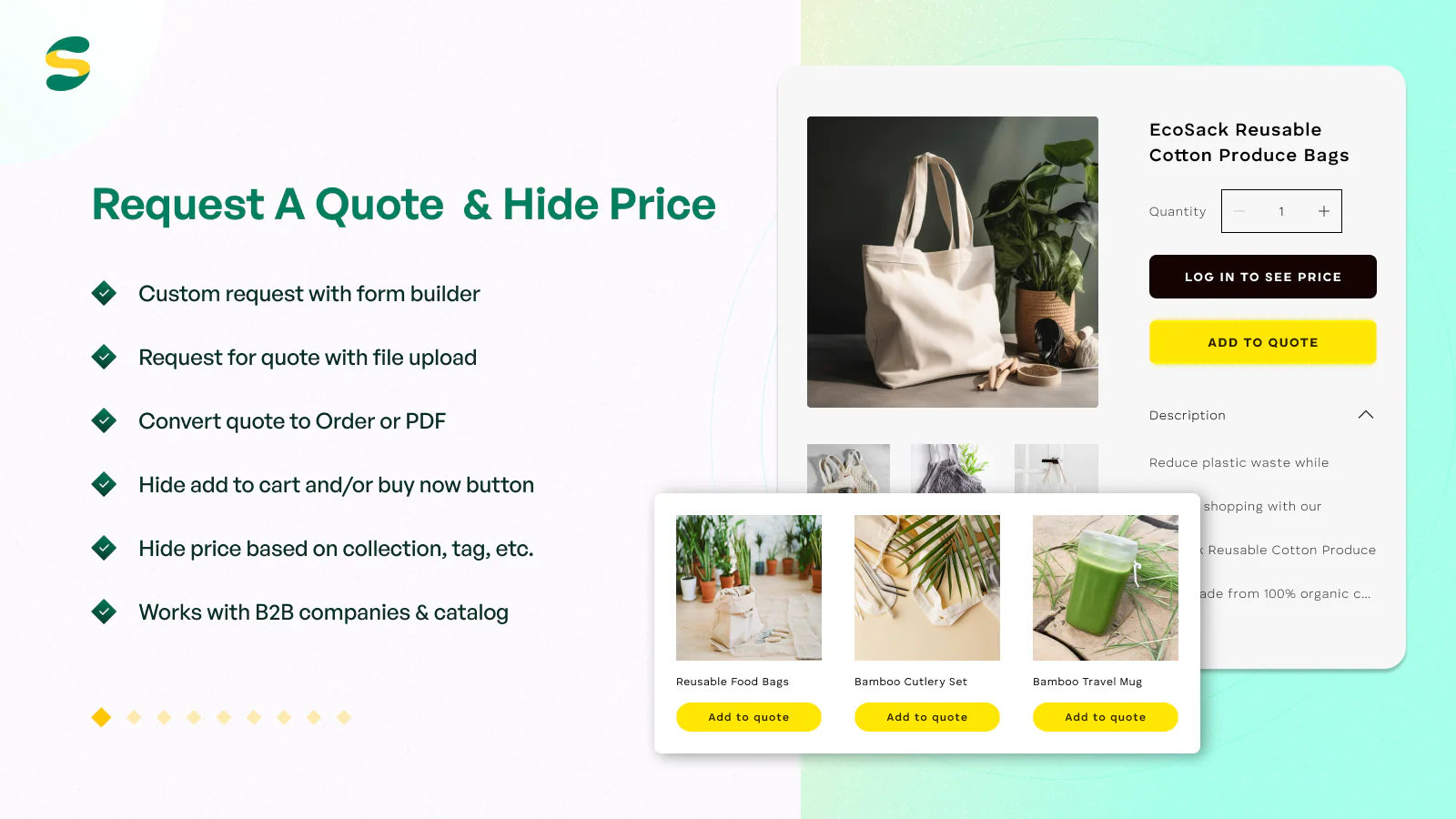
SA Request a Quote, Hide Price is a comprehensive quote management solution that lets B2B and D2C customers request quotes directly from product pages and collections, with customizable forms and optional price hiding. Buyers can add products to a quote in one click, suggest custom prices, and add remarks to items. Merchants receive notifications and can manage all quotes in admin, edit pricing, and convert approved quotes to orders. The app supports Shopify B2B catalogs.
- Request quote buttons and forms on product pages, collections, and shopping cart
- Hide prices by customer login, tag, vendor, collection, or other conditions
- Customers can suggest custom pricing and add remarks to quote items
- Manage and approve quotes in admin; convert to draft orders or final orders
- Customizable RFQ form with custom fields, file uploads, and drag-and-drop editor
- Email notifications and templates; integrations with email and CRM platforms
BSS B2B Order, Request a Quote
Download the app: https://apps.shopify.com/b2b-customer-portal-quick-order
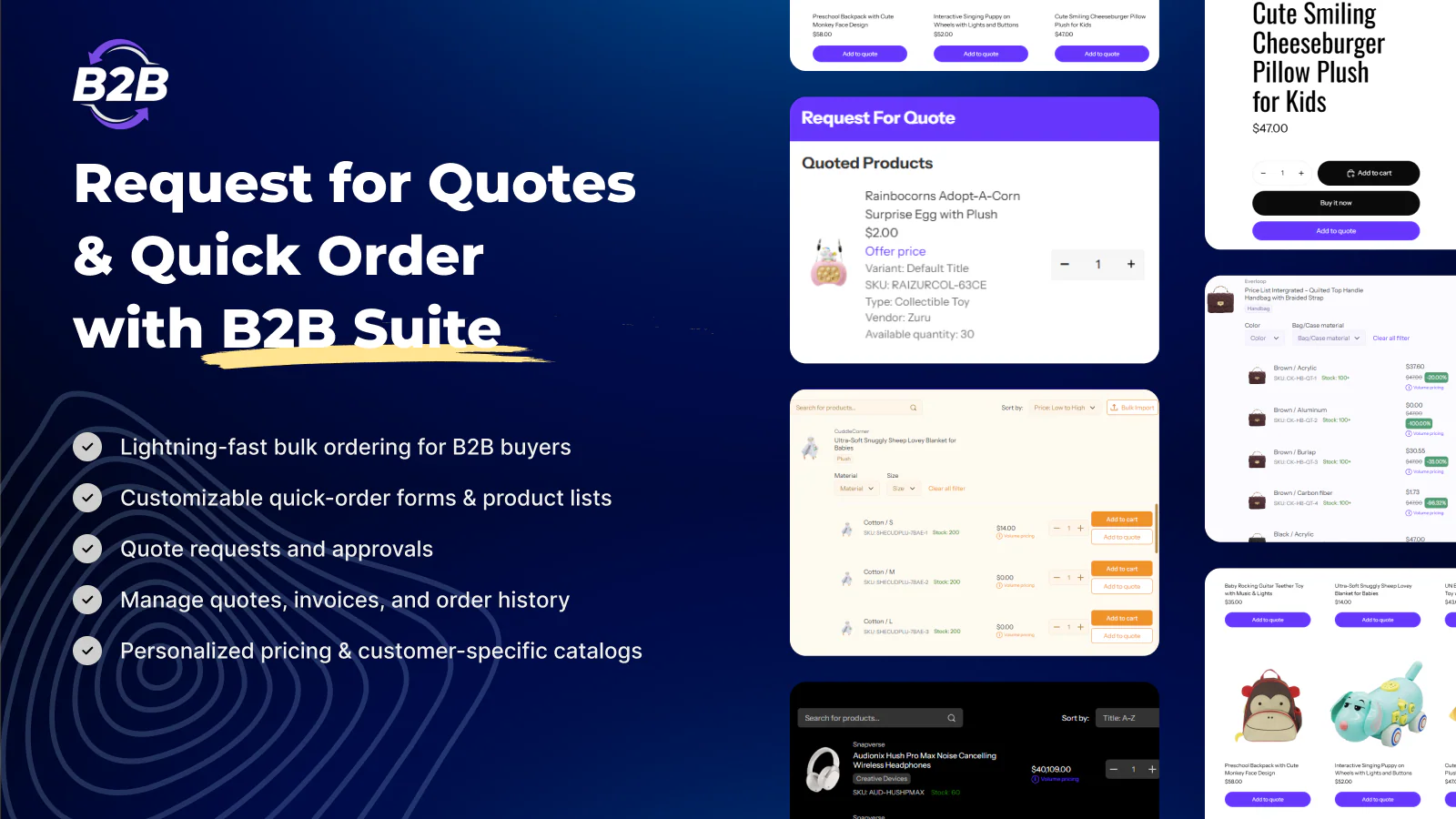
BSS B2B Order, Request a Quote is a full-featured B2B platform combining quote management, quick ordering, and reorder capabilities. It enables wholesale buyers to request quotes with customizable forms, hide pricing from guests, and manage all quote submissions directly in Shopify. Customers can negotiate pricing on quotes, while merchants edit prices and send proposals back. The app also includes Quick Order forms for bulk ordering via manual entry or CSV upload, one-click reordering from past orders, and full Shopify Plus support with catalog pricing and quantity rule synchronization.
- Request quotes with customizable forms, hide price options, and custom fields
- Edit quote prices in admin and send negotiated proposals back to customers
- Quick Order pages for bulk ordering with CSV upload capability
- Reorder products from order history with one-click repeat purchasing
- Shopify Plus integration with catalog pricing and quantity rules
Point-of-Sale Apps for Shopify B2B
The Problem: If you sell to B2B customers both online and in physical locations, you face a consistency nightmare. Your online store shows one set of catalogs and pricing for wholesale customers, but your in-store POS system shows different products and different prices. Sales staff ring up orders at prices that don't match what customers see online. Inventory levels are out of sync across channels. Customers get frustrated when they can order a product online at one price but can't buy it in-store, or vice versa. Managing two separate product databases and pricing structures across Shopify and your POS system is time-consuming and error-prone.
What Shopify Offers: Shopify has built-in POS capabilities that connect to your online store. However, Shopify's standard POS features were designed primarily for B2C retail operations. While you can use Shopify POS alongside your B2B store, the native POS system does not automatically sync your B2B catalogs (which products are available to which customer groups) or your B2B pricing tiers.
POS B2B Catalogs & Pricing
Download the app: https://apps.shopify.com/pos-b2b-and-catalogs-pricing
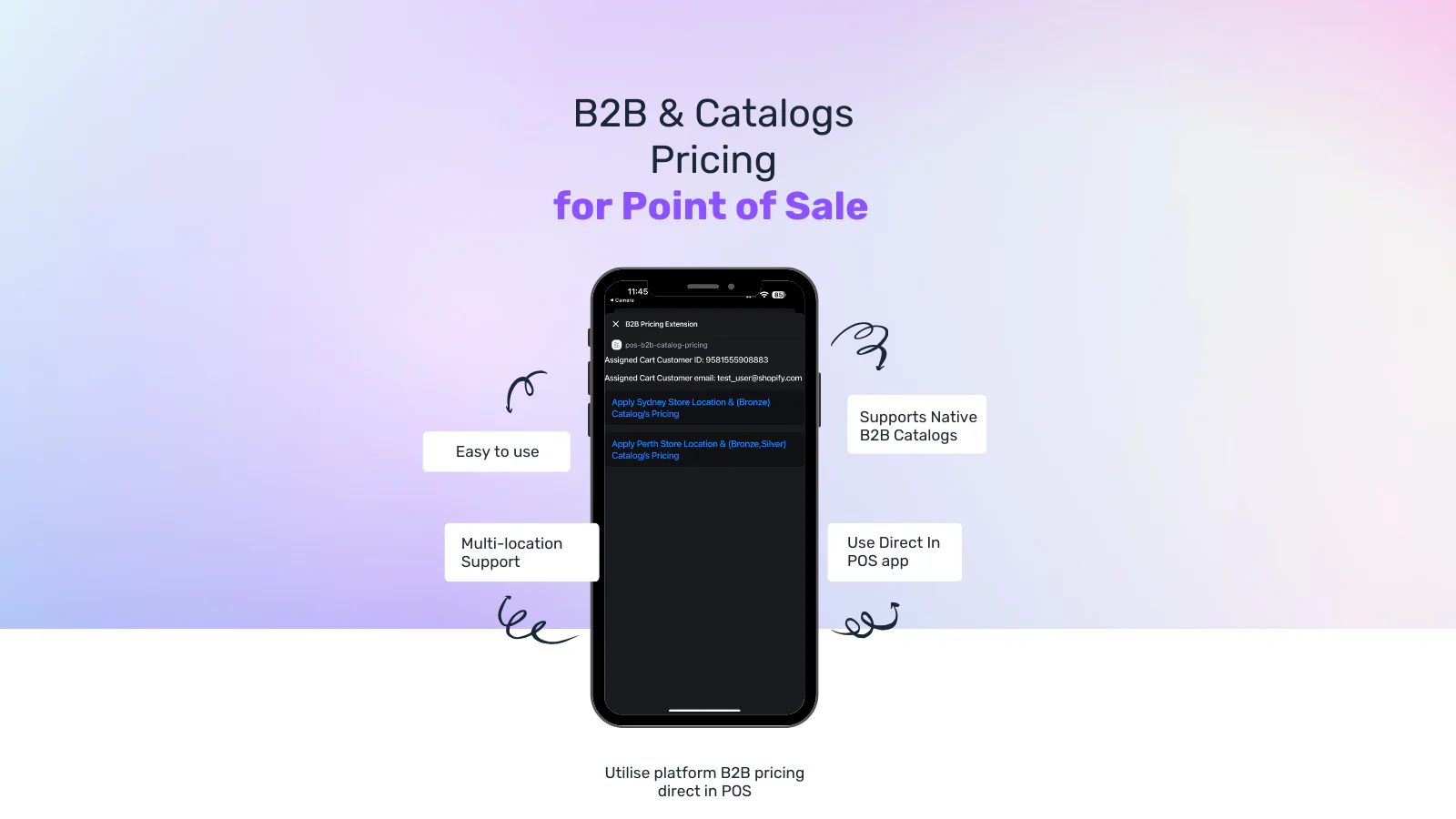
POS ‑ B2B Catalogs & Pricing brings native Shopify B2B catalog pricing directly into your POS system so that in-store sales match online pricing and availability. When staff ring up a B2B customer in POS, the app detects the customer and displays their available company locations. Staff can then select the correct location to apply the appropriate B2B catalog pricing and discounts. This ensures pricing accuracy across all sales channels and eliminates the friction of manual price overrides or pricing mismatches between online and in-store.
- Apply B2B catalog pricing in POS automatically based on customer and location selection
- Staff select the correct customer location to pull location-specific pricing
- Item-by-item discounts displayed in POS for visibility and accurate order tracking
- Works natively with Shopify B2B companies, locations, and catalogs
What's Next: The Future of Shopify B2B Apps
The B2B app ecosystem is rapidly evolving. As more brands move to using Shopify B2B as their primary wholesale channel, expect to see more specialized tools built specifically for Shopify B2B workflows; not generic B2C apps adapted for wholesale.
Have Feedback? Help Us Keep This Updated
Did we miss an app? Has an app changed significantly? Do you have a B2B challenge that none of these apps solve? We want to hear from you. As the B2B app ecosystem grows, this resource will too.
Have suggestions for the next update? Email us here with the subject line "Shopify B2B Apps Guide Feedback."